前回は、Ansible で Compute を Web サーバーにし、インターネットからページが見えるところまで進めました。今回は、この検証で作ったリソースを terraform destroy で片付けます。今回で、OCI を使ったこの検証は一区切りです。
今回すること
この検証で作ったものを、作った方法ごとに片付けます。
| 作ったもの | 作った回 | 片付け方 |
|---|---|---|
Compute iac-intro-web |
7回目 | compute のフォルダで terraform destroy |
| VCN・インターネットゲートウェイ・ルート表・セキュリティ・リスト・公開用サブネット | 6回目 | vcn のフォルダで terraform destroy |
Ansible で入れた httpd とトップページ |
8回目 | Compute の中にあるので、Compute と一緒に消える |
| コンパートメント・グループ・ユーザー・ポリシー | 5回目 | コンソールで手で作ったもの。残すか消すかを選ぶ |
図1 本検証で削除するリソースと順番
terraform destroy とは
terraform destroy は、そのフォルダの state に記録されているリソースを、すべて消すコマンドです。Terraform の公式の説明では、terraform apply -destroy と同じ動きをする、短い書き方です。
消すのは、そのフォルダの state にあるものだけです。5回目にコンソールで作ったコンパートメントなどは、Terraform の state に入っていないので、terraform destroy では消えません。
実際に消す前に、何が消えるかだけを確かめることもできます。
terraform plan -destroy
plan -destroy は、消すときの計画を表示するだけで、何も消しません。
消す順番
6回目で、設定ファイルを vcn と compute の2つのフォルダに分けました。state もフォルダごとに分かれています。
1つのフォルダの中では、Terraform が参照の関係から順番を決めます。一方で、フォルダをまたいだ順番は、Terraform には分かりません。順番は、自分で決めて実行します。
Compute は、vcn で作った公開用サブネットの中にあります。OCI の公式ドキュメントでは、サブネットは、中にインスタンスなどが残っていると消せません。そのため、次の順番で片付けます。
computeのフォルダで terraform destroy を実行し、Compute を消すvcnのフォルダで terraform destroy を実行し、ネットワークを消す
作るときは vcn → compute の順でした。消すときは、その逆の順番になります。
Compute を消す
compute のフォルダに移ります。
cd ~/iac-intro/compute
まず、何が消えるかを確かめます。
terraform plan -destroy
data.oci_identity_availability_domains.ads: Reading...
data.oci_core_images.ol9: Reading...
data.oci_identity_availability_domains.ads: Read complete after 0s [id=IdentityAvailabilityDomainsDataSource-3149372725]
data.oci_core_images.ol9: Read complete after 0s [id=CoreImagesDataSource-1379663440]
oci_core_instance.web: Refreshing state... [id=ocid1.instance.oc1.ap-tokyo-1.xxxx]

Terraform used the selected providers to generate the following execution plan. Resource actions are indicated with the following symbols:
  - destroy

Terraform will perform the following actions:

  # oci_core_instance.web will be destroyed
  - resource "oci_core_instance" "web" {
(中略)
    }

Plan: 0 to add, 0 to change, 1 to destroy.

Changes to Outputs:
  - public_ip = "xxx.xxx.xxx.xxx" -> null
行頭の - は「消す」という意味です。消すのは Compute の1つなので、最後の行は 1 to destroy となります。
確かめたら、消します。
terraform destroy
data.oci_identity_availability_domains.ads: Reading...
data.oci_core_images.ol9: Reading...
data.oci_identity_availability_domains.ads: Read complete after 0s [id=IdentityAvailabilityDomainsDataSource-3149372725]
data.oci_core_images.ol9: Read complete after 0s [id=CoreImagesDataSource-1379663440]
oci_core_instance.web: Refreshing state... [id=ocid1.instance.oc1.ap-tokyo-1.xxxx]

Terraform used the selected providers to generate the following execution plan. Resource actions are indicated with the following symbols:
  - destroy

Terraform will perform the following actions:

  # oci_core_instance.web will be destroyed
  - resource "oci_core_instance" "web" {
(中略)
    }

Plan: 0 to add, 0 to change, 1 to destroy.

Changes to Outputs:
  - public_ip = "xxx.xxx.xxx.xxx" -> null

Do you really want to destroy all resources?
  Terraform will destroy all your managed infrastructure, as shown above.
  There is no undo. Only 'yes' will be accepted to confirm.

  Enter a value: yes

oci_core_instance.web: Destroying... [id=ocid1.instance.oc1.ap-tokyo-1.xxxx]
oci_core_instance.web: Still destroying... [id=ocid1.instance.oc1.ap-tokyo-1.xxxx, 10s elapsed]
oci_core_instance.web: Still destroying... [id=ocid1.instance.oc1.ap-tokyo-1.xxxx, 20s elapsed]
oci_core_instance.web: Still destroying... [id=ocid1.instance.oc1.ap-tokyo-1.xxxx, 30s elapsed]
oci_core_instance.web: Still destroying... [id=ocid1.instance.oc1.ap-tokyo-1.xxxx, 40s elapsed]
oci_core_instance.web: Still destroying... [id=ocid1.instance.oc1.ap-tokyo-1.xxxx, 50s elapsed]
oci_core_instance.web: Still destroying... [id=ocid1.instance.oc1.ap-tokyo-1.xxxx, 1m0s elapsed]
oci_core_instance.web: Still destroying... [id=ocid1.instance.oc1.ap-tokyo-1.xxxx, 1m10s elapsed]
oci_core_instance.web: Destruction complete after 1m14s

Destroy complete! Resources: 1 destroyed.
apply と同じく、本当に実行するかを聞いてきます。yes と入れると、消し始めます。
コンソールでインスタンスの一覧を開くと、iac-intro-web の状態が「終了済み」になっています。
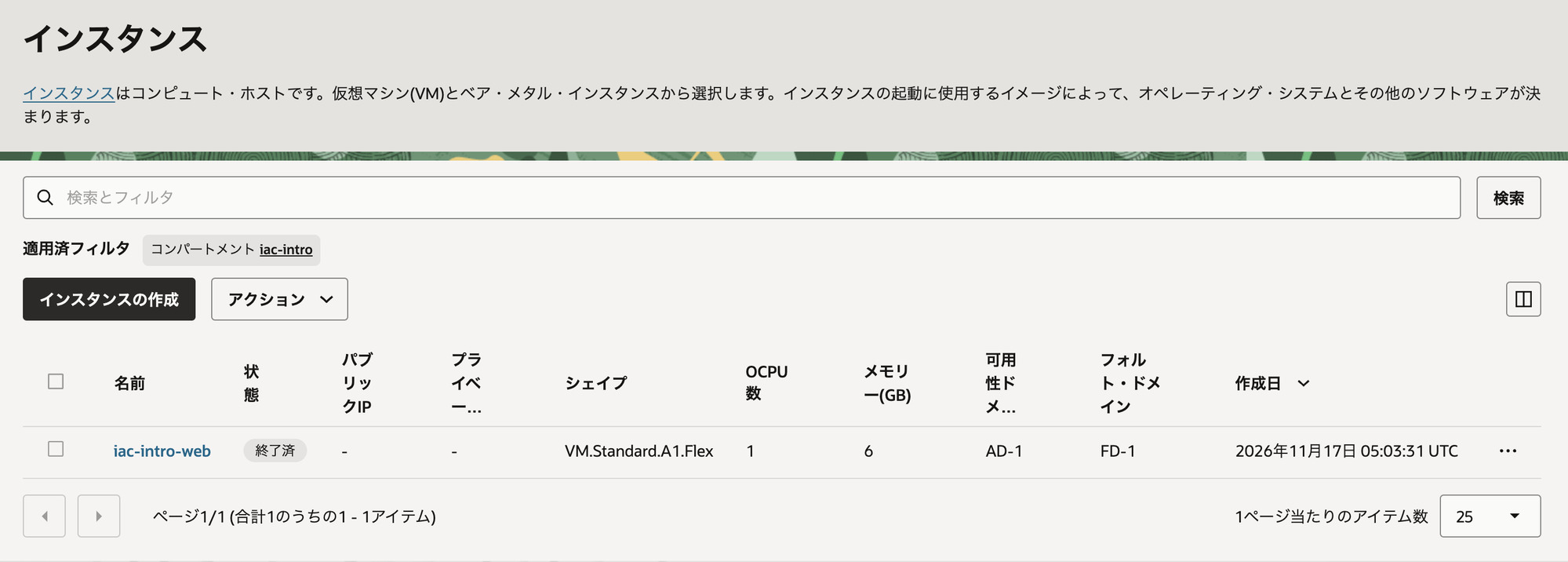
図2 インスタンスの一覧(終了済み)
ブート・ボリュームを確かめる
ブート・ボリュームは、Compute の OS が入っているディスクです。OCI の公式ドキュメントでは、コンソールからインスタンスを終了するとき、ブート・ボリュームは既定で残ります。
Terraform は指定がない限りリソースに紐づいた関連リソースも一緒に消します。今回のインスタンス削除では、ブート・ボリュームも一緒に終了します。
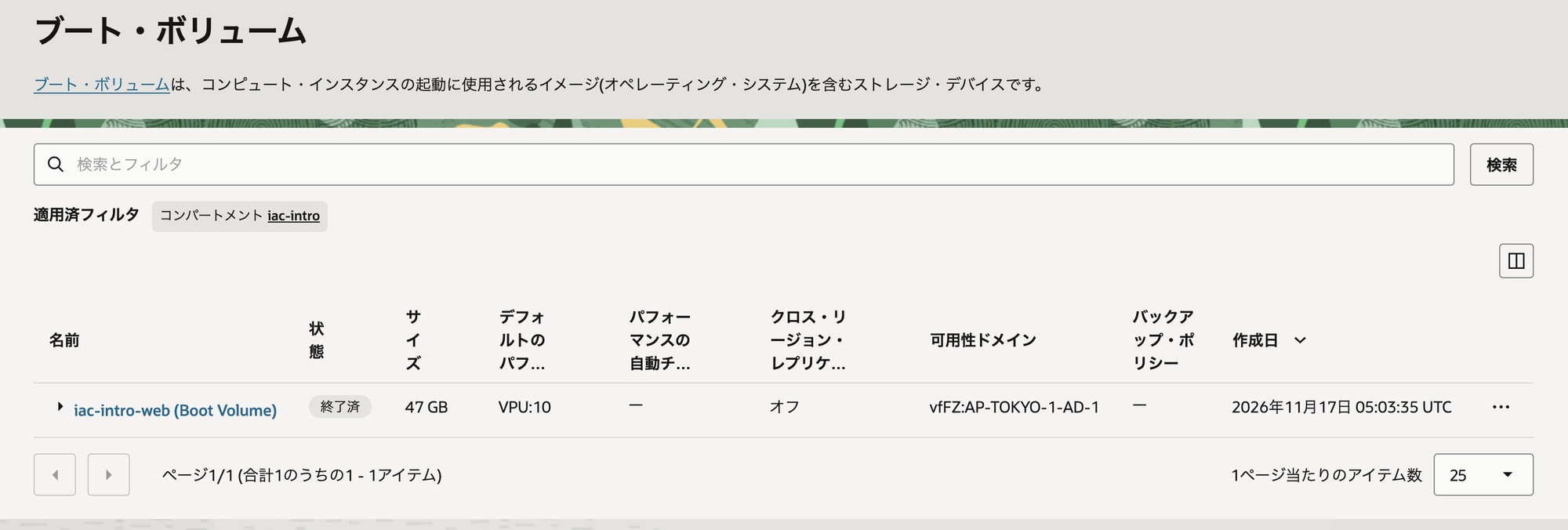
図3 ブート・ボリュームの一覧(終了済み)
ネットワークを消す
vcn のフォルダに移ります。
cd ~/iac-intro/vcn
まず、何が消えるかを確かめます。
terraform plan -destroy
oci_core_vcn.main: Refreshing state... [id=ocid1.vcn.oc1.ap-tokyo-1.xxxx]
oci_core_internet_gateway.main: Refreshing state... [id=ocid1.internetgateway.oc1.ap-tokyo-1.xxxx]
oci_core_security_list.public: Refreshing state... [id=ocid1.securitylist.oc1.ap-tokyo-1.xxxx]
oci_core_route_table.public: Refreshing state... [id=ocid1.routetable.oc1.ap-tokyo-1.xxxx]
oci_core_subnet.public: Refreshing state... [id=ocid1.subnet.oc1.ap-tokyo-1.xxxx]

Terraform used the selected providers to generate the following execution plan. Resource actions are indicated with the following symbols:
  - destroy

Terraform will perform the following actions:

  # oci_core_internet_gateway.main will be destroyed
  - resource "oci_core_internet_gateway" "main" {
(中略)
    }

Plan: 0 to add, 0 to change, 5 to destroy.

Changes to Outputs:
  - subnet_id = "ocid1.subnet.oc1.ap-tokyo-1.xxxx" -> null
  - vcn_id    = "ocid1.vcn.oc1.ap-tokyo-1.xxxx" -> null
VCN・インターネットゲートウェイ・ルート表・セキュリティ・リスト・公開用サブネットの5つが消えます。最後の行は 5 to destroy となります。
確かめたら、消します。
terraform destroy
oci_core_vcn.main: Refreshing state... [id=ocid1.vcn.oc1.ap-tokyo-1.xxxx]
oci_core_internet_gateway.main: Refreshing state... [id=ocid1.internetgateway.oc1.ap-tokyo-1.xxxx]
oci_core_security_list.public: Refreshing state... [id=ocid1.securitylist.oc1.ap-tokyo-1.xxxx]
oci_core_route_table.public: Refreshing state... [id=ocid1.routetable.oc1.ap-tokyo-1.xxxx]
oci_core_subnet.public: Refreshing state... [id=ocid1.subnet.oc1.ap-tokyo-1.xxxx]

Terraform used the selected providers to generate the following execution plan. Resource actions are indicated with the following symbols:
  - destroy

Terraform will perform the following actions:

  # oci_core_internet_gateway.main will be destroyed
  - resource "oci_core_internet_gateway" "main" {
(中略)
    }

Plan: 0 to add, 0 to change, 5 to destroy.

Changes to Outputs:
  - subnet_id = "ocid1.subnet.oc1.ap-tokyo-1.xxxx" -> null
  - vcn_id    = "ocid1.vcn.oc1.ap-tokyo-1.xxxx" -> null

Do you really want to destroy all resources?
  Terraform will destroy all your managed infrastructure, as shown above.
  There is no undo. Only 'yes' will be accepted to confirm.

  Enter a value: yes

oci_core_subnet.public: Destroying... [id=ocid1.subnet.oc1.ap-tokyo-1.xxxx]
oci_core_subnet.public: Destruction complete after 0s
oci_core_route_table.public: Destroying... [id=ocid1.routetable.oc1.ap-tokyo-1.xxxx]
oci_core_security_list.public: Destroying... [id=ocid1.securitylist.oc1.ap-tokyo-1.xxxx]
oci_core_security_list.public: Destruction complete after 1s
oci_core_route_table.public: Destruction complete after 1s
oci_core_internet_gateway.main: Destroying... [id=ocid1.internetgateway.oc1.ap-tokyo-1.xxxx]
oci_core_internet_gateway.main: Destruction complete after 0s
oci_core_vcn.main: Destroying... [id=ocid1.vcn.oc1.ap-tokyo-1.xxxx]
oci_core_vcn.main: Destruction complete after 1s

Destroy complete! Resources: 5 destroyed.
コンソールで VCN の一覧を開くと、コンパートメント iac-intro に VCN がなくなっています。
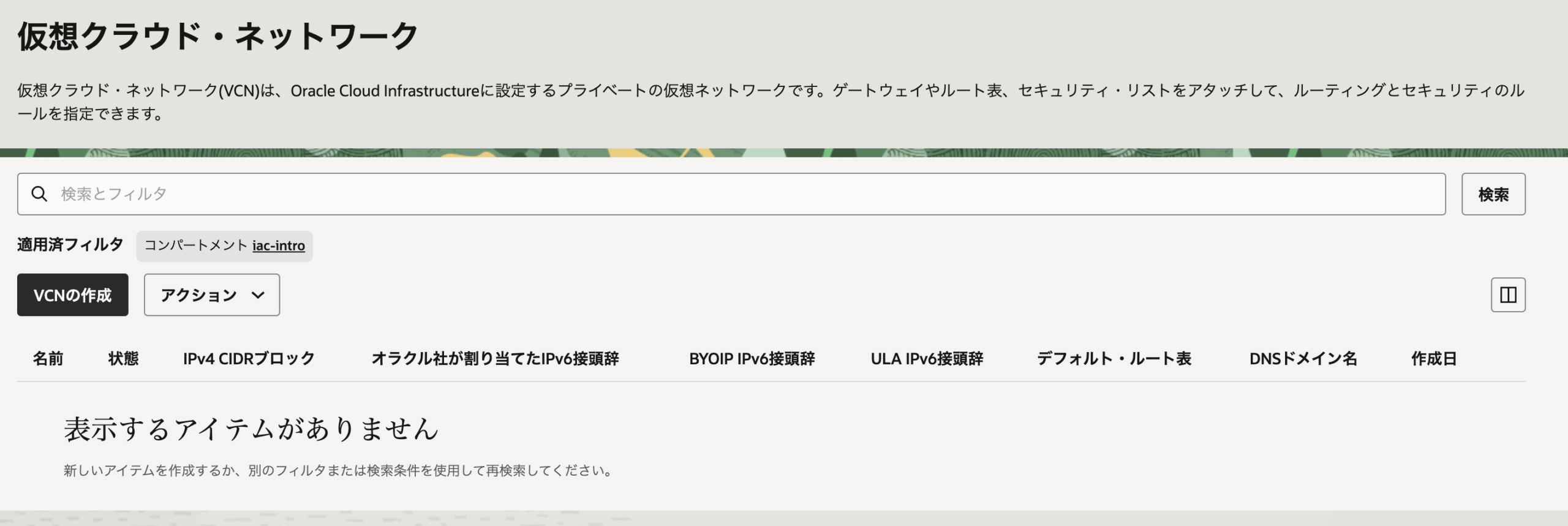
図4 VCN の一覧(0件)
手で作ったもの
コンパートメント・グループ・ユーザー・ポリシー
コンソールで作ったものは、terraform destroy では消えません。他の検証でも使うなら、そのまま残しておけます。
尚、コンパートメントは配下に属するサービスが空でないと消せません。消したコンパートメントは状態が「削除済み」に変わり、一覧に90日間表示されます。
Cloud Shell のファイル
Cloud Shell のホームディレクトリにある設定ファイル(~/iac-intro)と、7回目で作った SSH の鍵(~/.ssh/iac-intro)は、残ったままです。要らなければ消します。
rm -rf ~/iac-intro
rm ~/.ssh/iac-intro ~/.ssh/iac-intro.pub
最後に
OCI に対するIaCの検証は、ここで一区切りとなります。ここまでお読みいただき、ありがとうございました。